> For the complete documentation index, see [llms.txt](https://fleetdocs.hyvikk.space/llms.txt). Markdown versions of documentation pages are available by appending `.md` to page URLs; this page is available as [Markdown](https://fleetdocs.hyvikk.space/explore-features/vehicles/tyre-issue.md).
# Tyre Issue
## A. Tyre Issue Management
The tyre issue management module is used to record and manage tyre-related issues such as punctures, damage, wear, or replacement during vehicle usage, ensuring streamlined tracking and better maintenance control.
{% hint style="info" %}
Both admin and driver can add Tyre related entries
{% endhint %}
## **B. Add Tyre Issues**
### Add Tyre Issue Entry as –
Step 1: Select the vehicle for which the **tyre issue** is reported.
Step 2: Select the **date** when the issue occurred.
Step 3: Enter the unique **tyre serial number** for identification.
Step 4: Enter the vehicle’s current **km** reading at the time of issue.
Step 5: Select the **position** of the tyre (Front Left, Front Right, Rear Left, Rear Right).
Step 6: Select the **reason** for the issue (e.g., puncture, damage, etc).
Step 7: Click on **submit** to record the tyre issue.
## C. Manage Tyre Issues
Managing tyre issues includes:
* Add Tyre related issues
* Search and filter tyre records
* Delete and multi delete tyre entries
* Show entries (10, 25 & 100)
* View and manage tyre details with action options
**Vehicle** – Displays the selected **vehicle** for which the tyre issue is reported.
**Date** – Shows the **date** when the tyre issue was recorded.
**Serial Number** – Displays the unique **identification number** of the tyre.
**Tyre Position** – Shows the **location** of the tyre (Front Left, Front Right, Rear Left, Rear Right).
**Reason** – Displays the **cause** of the tyre issue (e.g., puncture, damage, wear).
**Status** – Shows the current **status** of the tyre issue:
* **Pending** – Issue is yet to be reviewed by admin
* **Approved** – Issue is accepted and processed
* **Rejected** – Issue is not accepted or declined
## D. Action -  Setting
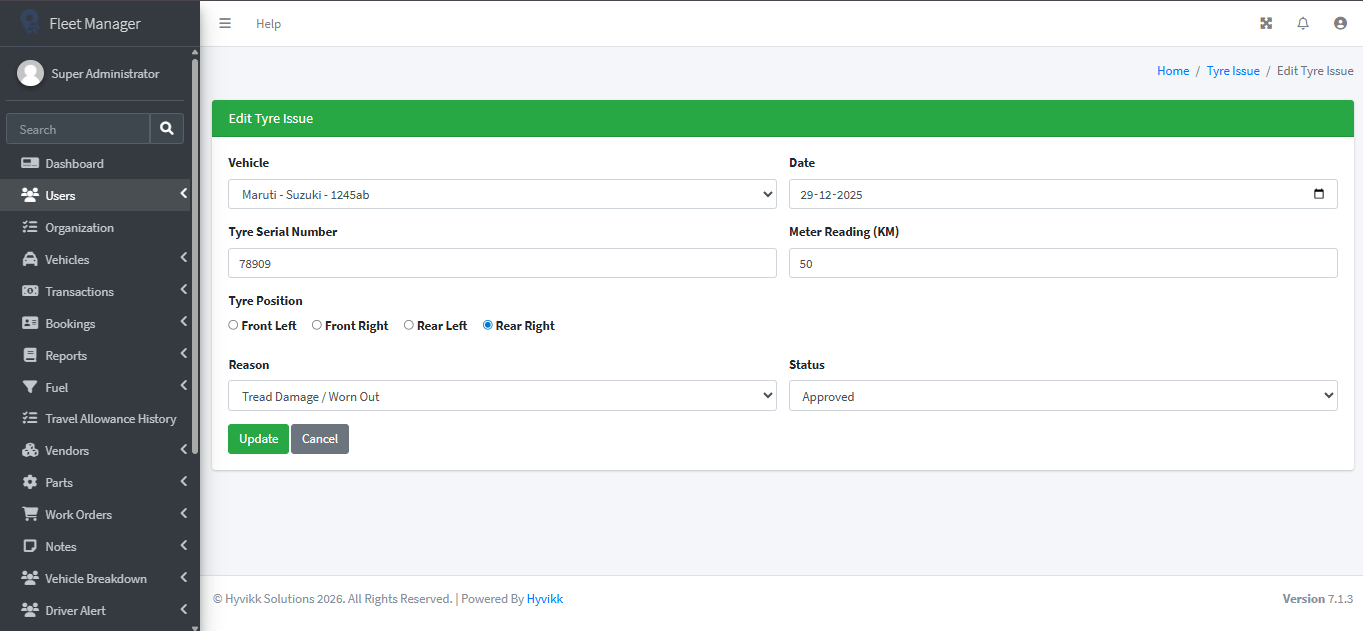
### Edit Tyre Issues Management
The admin can update tyre issues details anytime as required by taking appropriate actions.
{% hint style="warning" %}
Status can be approved or rejected by editing tyre issue records.
{% endhint %}
### Delete Tyre Issues Entry
The admin can delete tyre records from the Tyre Issues section as per required by taking appropriate actions.